> ## Documentation Index
> Fetch the complete documentation index at: https://docs.bioptimus.com/llms.txt
> Use this file to discover all available pages before exploring further.
# Welcome
> Deploy and build with foundation models for biology — across histology, transcriptomics, and genomics.
Bioptimus builds foundation models that learn the dynamics of human biology across scales — from cell to tissue to organ. This documentation covers how to access, deploy, and build with our models on AWS and on-premise.
## How it works
Bioptimus models are pretrained on large, diverse histology data, so their representations transfer to many tasks without training from scratch. Point the SDK at a slide and a model, and it tiles the slide, masks out background, runs the model, and writes results to disk. For precise definitions, see the [Glossary](/documentation/resources/glossary).
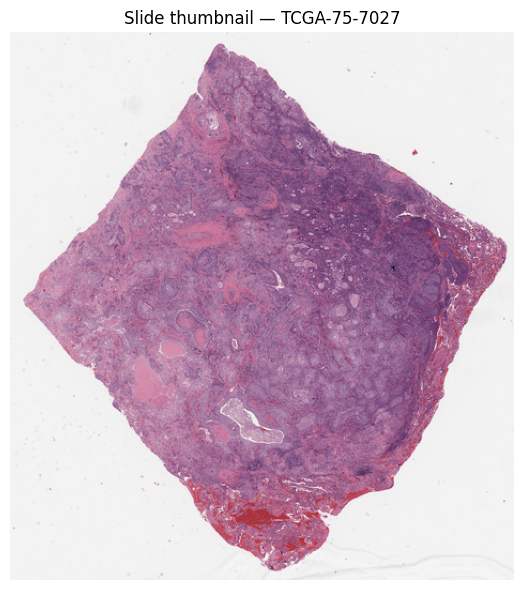
A scanned H\&E slide can be **billions of pixels** — too large to process at once — so the pipeline starts from the slide and splits it into small tiles, each processed independently.
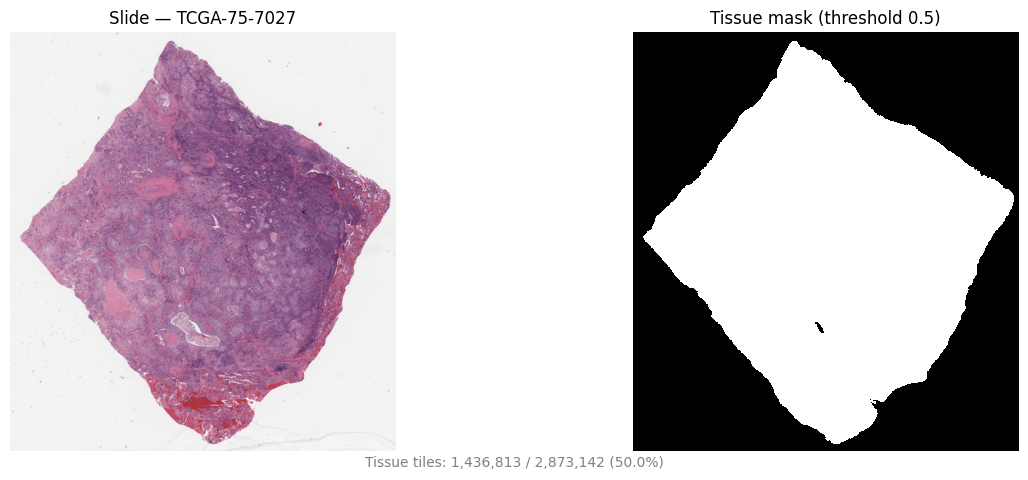
 Slides are mostly background. The pipeline tiles coarsely (512×512 at 8 µm/px) and runs [tissue segmentation](/documentation/models/tissue-segmentation) to produce a tissue map, keeping only tissue-bearing tiles — cutting cost before the expensive feature step.
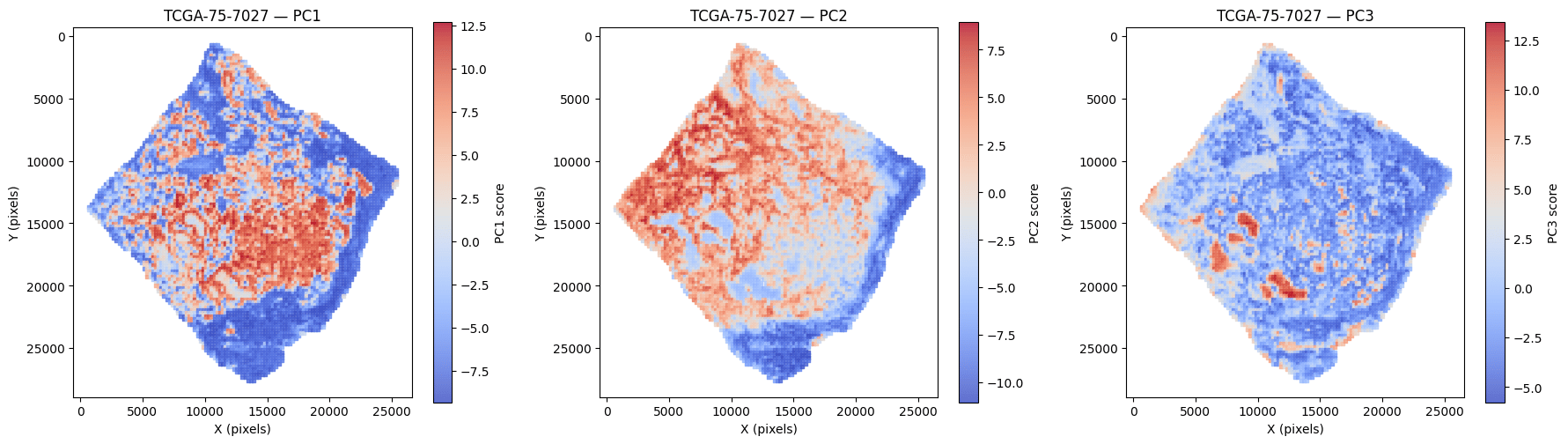
 Tissue tiles (224×224 at 0.5 µm/px) are embedded by [H-Optimus](/documentation/models/h-optimus) into a **1536-d feature vector** each. Principal components of these embeddings reveal the dominant axes of morphology — tumor, stroma, and immune compartments.
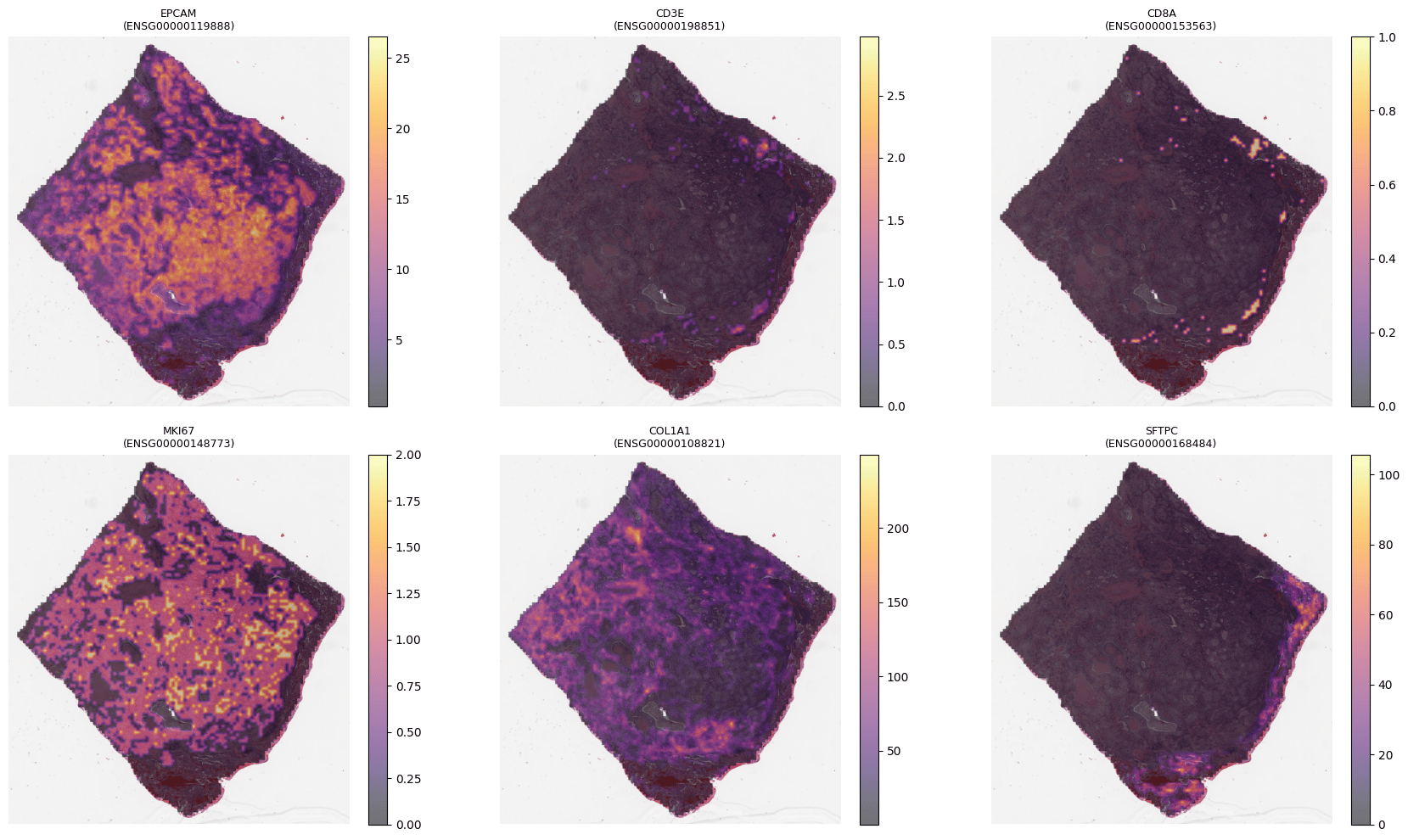
 [M-Optimus](/documentation/models/m-optimus) produces the same 1536-d embeddings **and** predicts spatial gene expression directly from each tile (optionally informed by bulk RNA) — a molecular readout without a spatial assay.
 ## The models
A vision foundation model for histology. Extracts tile-level features from H\&E whole slide images.
A multimodal, multi-scale model (M-Optimus-1) that predicts spatial gene expression from routine H\&E, refined with bulk RNA.
Both models are trained on data from STELA, our data engine:
A multi-institutional data engine generating the deeply profiled, clinically linked patient data our models train on.
## Where to get each model
A quick map of which model is available on which channel, and where to start.
| Model | AWS & SageMaker | On-premise | Hugging Face |
| ----------------------- | ----------------------------------------------- | -------------------------------------------- | ------------------------------------------------ |
| **H-Optimus** | ✅ [Deploy](/deployment/platforms/aws-sagemaker) | ✅ [Deploy](/deployment/platforms/on-premise) | ✅ [Academic](/deployment/platforms/hugging-face) |
| **M-Optimus** | ✅ [Deploy](/deployment/platforms/aws-sagemaker) | ✅ [Deploy](/deployment/platforms/on-premise) | — |
| **Tissue segmentation** | ✅ (bundled) | ✅ (bundled) | — |
Managed endpoints from AWS Marketplace.
Self-hosted container for full data control.
H-Optimus weights for non-commercial academic use.
## Where to start
Deploy a model and get embeddings back in minutes. For ML engineers and data scientists.
See how teams use our models for biomarker discovery, indication expansion, and trial design.
Data handling, residency, and deployment options for regulated environments.
Bioptimus models are for **research use** and are not approved medical devices. See [Responsible use](/documentation/resources/responsible-use) for intended use and your responsibilities.
## The models
A vision foundation model for histology. Extracts tile-level features from H\&E whole slide images.
A multimodal, multi-scale model (M-Optimus-1) that predicts spatial gene expression from routine H\&E, refined with bulk RNA.
Both models are trained on data from STELA, our data engine:
A multi-institutional data engine generating the deeply profiled, clinically linked patient data our models train on.
## Where to get each model
A quick map of which model is available on which channel, and where to start.
| Model | AWS & SageMaker | On-premise | Hugging Face |
| ----------------------- | ----------------------------------------------- | -------------------------------------------- | ------------------------------------------------ |
| **H-Optimus** | ✅ [Deploy](/deployment/platforms/aws-sagemaker) | ✅ [Deploy](/deployment/platforms/on-premise) | ✅ [Academic](/deployment/platforms/hugging-face) |
| **M-Optimus** | ✅ [Deploy](/deployment/platforms/aws-sagemaker) | ✅ [Deploy](/deployment/platforms/on-premise) | — |
| **Tissue segmentation** | ✅ (bundled) | ✅ (bundled) | — |
Managed endpoints from AWS Marketplace.
Self-hosted container for full data control.
H-Optimus weights for non-commercial academic use.
## Where to start
Deploy a model and get embeddings back in minutes. For ML engineers and data scientists.
See how teams use our models for biomarker discovery, indication expansion, and trial design.
Data handling, residency, and deployment options for regulated environments.
Bioptimus models are for **research use** and are not approved medical devices. See [Responsible use](/documentation/resources/responsible-use) for intended use and your responsibilities.